Stop Forcing Your Business Into Generic Software. Build the Tool Around the Way You Work.
Maverick Apps + AI creates custom business tools — quote builders, estimators, calculators, customer portals, product selectors, intake systems, dashboards, and workflows — built around the way your business actually operates. The business defines the workflow, goals, and rules. AI helps build, improve, and operate the tools faster.
Most Businesses Are Forced Into Software That Doesn’t Fit.
Generic software does a lot — but it rarely matches how a business actually works. So the team bends its process around the tool, stitches three more tools on top, and repeats the same manual work the software was supposed to solve.
The business ends up working for the software, instead of the software working for the business.
Where Apps + AI fits
Part of the BUILD family.
BUILD is about making the website and its tools do real work. Apps + AI adds specialized tools and workflows — and it’s built to work with Websites + AI and the rest of the system, not alone.
Maverick Websites + AI
The interactive SmartHub foundation.
Builds the site visitors arrive at — one that talks with them, guides them, captures leads, and moves them to action. The foundation the apps live inside.
See itMaverick Apps + AI
Specialized tools inside or alongside the SmartHub.
Adds custom tools and workflows — estimators, configurators, portals, intake systems, dashboards — that turn the SmartHub from interactive into a real application.
Start with the SmartHub foundation, add the apps you need, then connect search, CRM, or the full connected system as it proves itself.
The difference
Stop forcing your business into generic software. Build the tool around the way you work.
- Forces your business into someone else's workflow
- Too many tools stitched together by hand
- Customers call to ask what they could calculate themselves
- Staff repeat the same manual process over and over
- A useful process lives in spreadsheets, email, or someone's head
- Built around the way your business actually works
- One tool does the job — no stitching, no workarounds
- Customers get answers and take action on their own
- Repetitive work is handled by the tool, not your team
- The process lives in the app — repeatable, consistent, and connected
What do you want to build?
Tap an app type. See what it does.
Pick a tool to see how it turns a goal into a completed step — for a customer or for your team.
Quote builder
A customer wants to know what something costs before they commit to calling.
- 1A guided flow asks the right questions about the job
- 2It collects the details you actually need to quote
- 3It turns the inquiry into a ready opportunity in your pipeline
The outcome
You start the conversation already knowing what they need.
See it in your world
Pick an industry. See example apps.
Tap an industry to see the kinds of custom tools that turn a manual process into a guided one.
A homeowner needs a job done and wants to know if you handle it and what it might cost.
Example apps
- 1An estimator gives a rough price range from a few inputs
- 2A quote builder collects the job details and turns it into a ready lead
- 3A booking tool lets them schedule a visit right from the estimate
How it gets built
Idea → build → connect → use
Tap a step to see how an idea becomes a connected tool your customers and team actually use.
Step 1
Idea
Start with the problem or the idea — you don't need to know the technical solution. We figure out whether the right answer is an app, an automation, an AI workflow, existing software, or something simpler.
One connected tool
An app connects customers, staff, CRM, and follow-up
The information doesn’t stop at the form. A custom app flows into the rest of the system — so the work actually gets done.
Depending on the application and systems involved, an app may connect with any or all of the above. Integrations are scoped around what actually helps the customer journey and business workflow.
How they connect
Websites + AI builds the foundation. Apps + AI adds the tools.
The SmartHub is the interactive foundation visitors arrive at. Apps + AI adds specialized tools and workflows inside or alongside it — so the site does more than interact, it gets real work done.
Websites + AI
Builds the interactive SmartHub foundation — the site that talks with visitors, guides them, captures leads, and moves them to action.
- The interactive foundation visitors arrive at
- Talk, guide, book, quote, calculate, and capture
- Connected to CRM and follow-up
Apps + AI
Adds specialized custom tools and workflows inside or alongside the SmartHub — estimators, configurators, portals, and internal tools that do specific work.
- Specialized tools built for a specific job
- Lives inside or alongside the SmartHub
- Turns the site from interactive into a real application
What you can build
Tools built around the job, not a template
Customer-facing tools and internal tools — each one built for a specific goal, workflow, and outcome, and connected into the rest of the system.
Quote builders
Guide customers through options and collect exactly what's needed to turn an inquiry into a ready quote.
Estimators
Let customers provide details and get useful estimate ranges or next steps — without a phone call first.
Calculators
Help people understand cost, savings, value, financing, ROI, or measurements in real time.
Customer portals
Give customers a place to see information, status, documents, resources, or tools — not just a contact form.
Product & service selectors
Help visitors narrow options to what actually fits them — so they decide faster and more confidently.
Service configurators
Let customers build out the exact service, package, or scope they need before they ever reach out.
Booking tools
Let visitors choose services, locations, staff, or other variables and book — without phone tag.
Rental tools
Check availability, compare options, reserve, and request — all in one guided flow.
Intake systems
Collect structured, useful information up front — far more than a simple contact form captures.
Dashboards
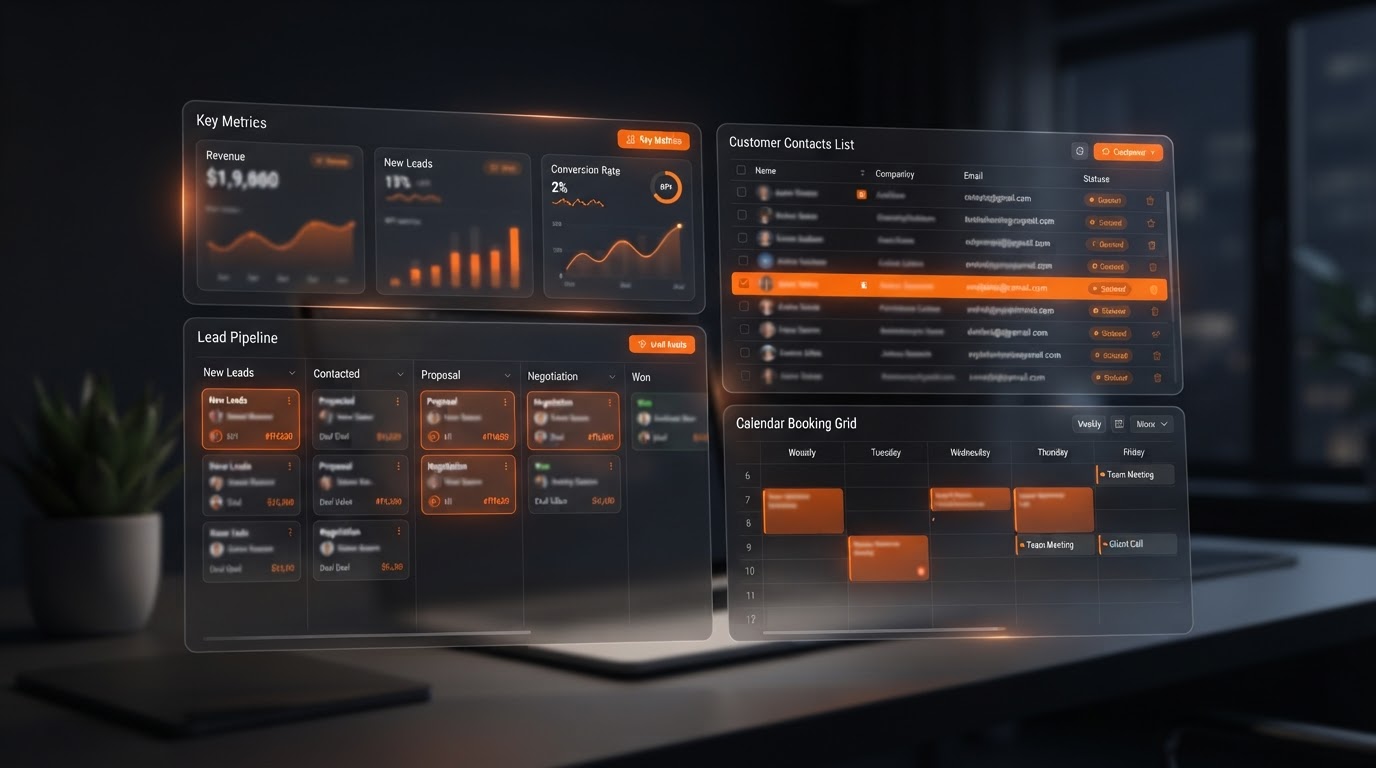
Give your team a clear view of what matters — leads, status, pipeline, and work in progress.
Internal workflow tools
Turn a repetitive manual process into a guided tool that does the routing, checking, and organizing for you.
Document & proposal generators
Assemble proposals, scopes, or documents from structured inputs — consistent, fast, and ready to send.
Custom customer experiences
Interactive experiences built for a specific audience and outcome — not a generic template.
Interactive catalog tools
Let customers search, filter, compare, and build an inquiry list instead of scrolling a static page.
You define the workflow. AI helps build and run it.
The business defines the workflow, goals, rules, and customer experience. AI helps build, improve, and operate the tools faster — but it doesn’t set your strategy or run everything on its own. Most apps are tools that help people get work done, not fully autonomous systems.
- Define the workflow, goals, and rules
- Decide the customer experience and journey
- Approve the logic, content, and outcomes
- Make the call on what the app does and doesn't do
- Helps build the tool faster
- Helps improve it based on actual use
- Helps operate it — routing, summarizing, suggesting
- Does the repetitive work so the app stays useful around the clock
You decide what the tool does and doesn’t do. AI helps build it faster, improve it based on real use, and handle the repetitive work — so the app stays useful even when you’re not watching it.
Don’t take our word for it. Talk to it.
This is the real, live AI experience — the same kind of interaction we’d build into your custom app. Click it and ask anything: what you do, who you help, how to book, what it costs.
Want a tool like this running for your business? Book a strategy call and we’ll map it to your workflow and goals.
Why businesses trust it
Built for the real problem, not the symptom
- Built on the same connected system — so an app flows into CRM, follow-up, and the rest of the work instead of sitting apart from it.
- We look at where an app fits in the customer journey and the business system, not just in isolation — so it solves the real problem, not a symptom.
- You define the workflow, goals, rules, and experience. AI helps build, improve, and operate the tools faster — it doesn't set your strategy or run everything on its own.
Who it’s for
Built for businesses that don’t fit a template
- Businesses forcing their workflow into generic software that doesn't quite fit
- Businesses losing time to the same manual process, repeated over and over
- Businesses whose customers call to ask what they could calculate themselves
- Businesses ready for a tool built around the way they actually work — not a template
Common questions
Maverick Apps + AI FAQ
Still have questions? Book a strategy call.
Stop bending your business around software. Build the tool around your business.
Book a strategy call and we’ll figure out together whether the right answer is a custom app, an automation, an AI workflow, existing software, or something simpler — and how it connects into the rest of your system.